Use AI or MT to help with your translation in smartcat even when MT feature is disabled
GT4T provides special keyboard shortcuts for all major CAT tools.
Use GT4T shortcuts, you can
1) ctrl alt j를 타격하여 번역 제안을 얻습니다.
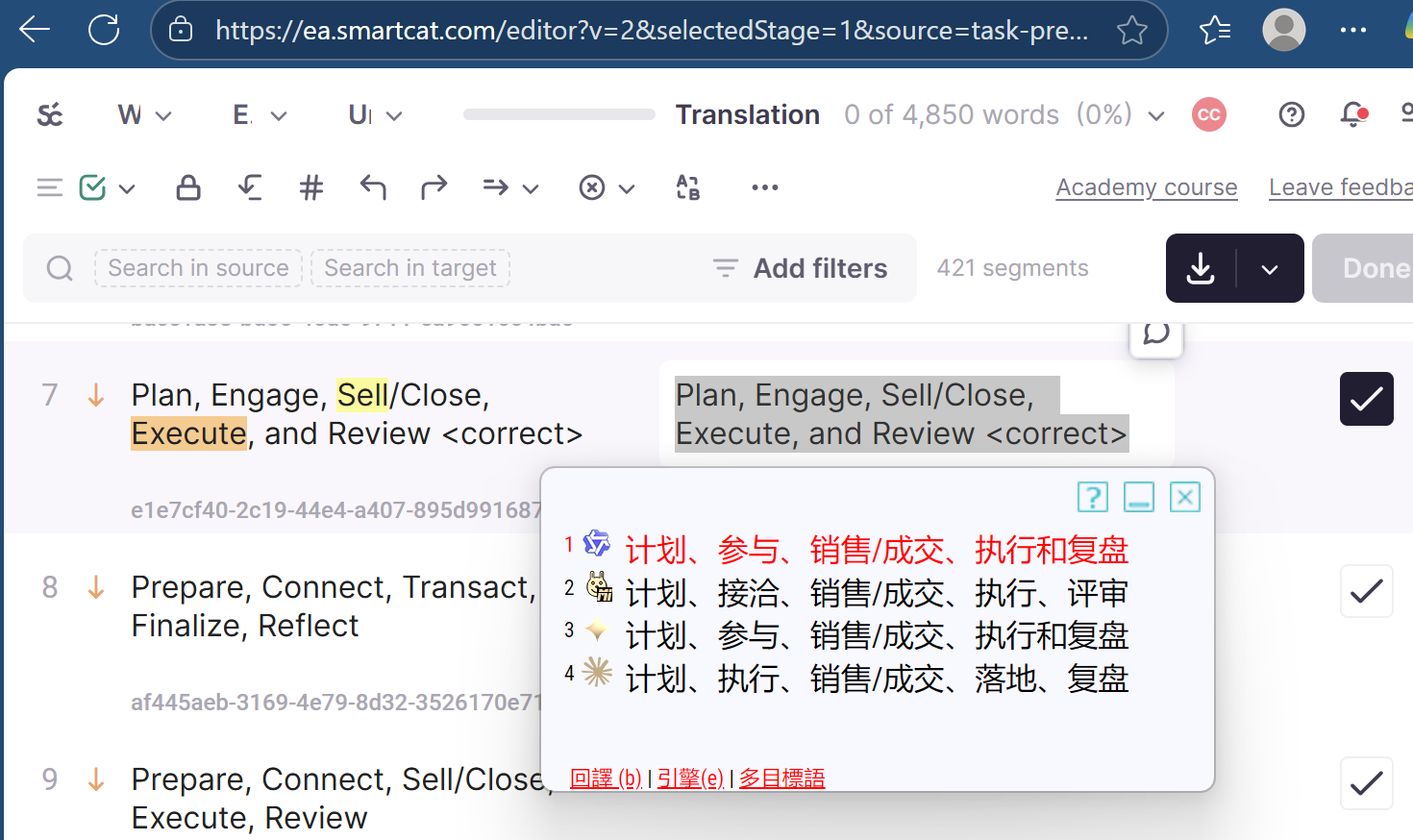
2) 또는 심지어 ctrl shift j에 의해 번역 된 전체 문서를 얻을
It doesn't matter even if MT or AI engines are disabled. GT4T just works over all CAT tools regardless of their settings.
I suppose you didn't know this before? I am not surprised. GT4T is translators' best-kept secret weapon for over a decade.
Once GT4T is installed and running in the background, you can use these shortcuts in the following CAT tools even when the automatic translation feature is either disabled or doesn't exist internally:
Trados Studio, CafeTran, Dejavu, Memsource, Memoq, Wordfast, translate5, Crowdin, Heartsome Translation Studio, Across Translator, Smartling, Swordfish, Fluency Now, OmegaT, Transifex Editor, Sony Online Translation Tool, Alchemy CAtalyst, 译马网, XTM, Transit, Lokalise, Idiom WorldServer, TransTool, Scriben, 雪人, SmartCat, Marseditor, Yicat ...
Impressive. GT4T has been serving translators for over a decade and no other apps do this.
GT4T version 8.43.251106: fixed a broken smartcat.com support
문제 해결: 작동하지 않는 경우:
- 중국 입력을 끄십시오.
- CAT 내장 버튼 또는 단축키를 사용하여 모든 소스 텍스트를 우선으로 복사합니다.